Web Hosting Support Scope: What Will the Host Actually Fix?

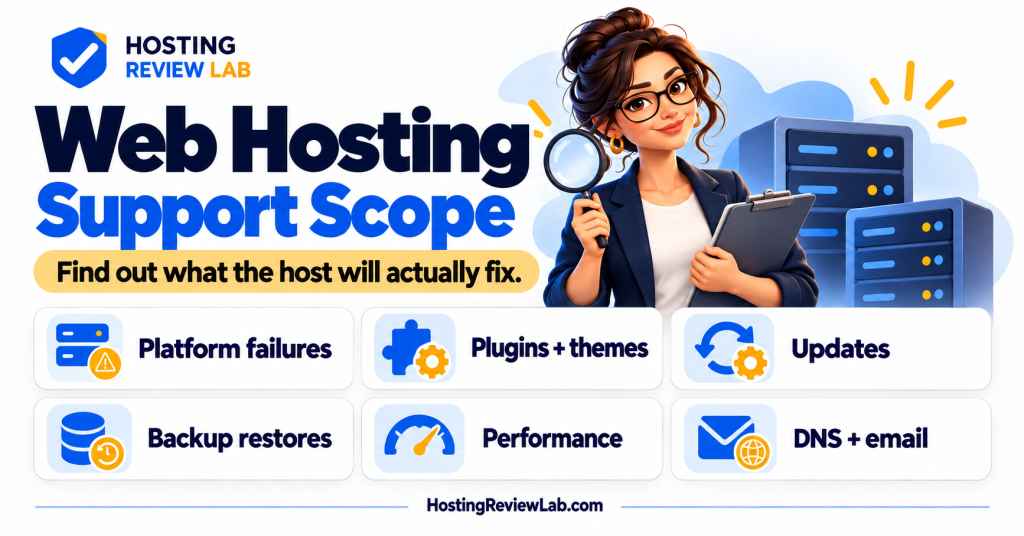
Ask what the host will do with your specific problem. A plan can include round-the-clock support while leaving plugin repairs, custom code and content changes with you. Availability of a support channel, investigation of an error and delivery of a complete repair are three different promises.
This guide helps you check the support boundary. For the broader buying decision, start with shared hosting versus managed WordPress or managed versus unmanaged VPS. A managed label alone is too short to be a job description.
Separate investigation from implementation
A host may identify the PHP file associated with an error or help get the site responding again. That does not necessarily include rewriting the file, correcting the plugin’s behavior or testing every customer workflow. Ask what evidence the team can provide and who implements the lasting fix.
| Task | Ask the provider | Assign any remaining work |
|---|---|---|
| Server or platform failure | Will you investigate and repair the affected hosting service? | Who checks the website after the service recovers? |
| Plugin or theme problem | Can you identify the cause, and do you fix third-party code? | Name the software vendor or developer. |
| Updates | Which components are updated, under which settings or add-ons? | Who tests checkout, forms and private pages? |
| Backups and restores | Do you help operate the restore tool, and what data does it replace? | Who chooses the recovery point and reconciles newer activity? |
| Performance | Do you investigate platform configuration, application code, or both? | Who makes and validates code or query changes? |
| DNS and email | Which hosted and third-party services are covered? | Record the owner of external DNS and mail services. |
Two documented examples of the boundary
Kinsta’s WordPress support scope, checked October 5, 2026, includes help using platform features, investigation of server errors and investigation of reproducible performance problems to rule out platform configuration. It excludes code editing, changes to theme or plugin functionality, and website SEO work. Kinsta says it can help identify a fatal-error file and disable a problematic component, while repair of that component’s code belongs to its developer.
SiteGround’s support scope, checked the same day, covers platform operation and troubleshooting service or server configuration. Its WordPress guidance distinguishes server-side investigation from plugin or theme functionality, conflicts and custom code outside its server configuration. Its performance section likewise separates service operation from PHP or SQL development work.
These examples illustrate a boundary, not a ranking of support quality. Check the current documentation for your exact product, required add-ons and configuration. Coverage for one provider’s WordPress plan does not establish coverage for its other products or another provider’s VPS.
For security work, use the security responsibility checklist to identify who owns updates, detection, cleanup and recovery for the exact plan.
Write down what happens after support replies
Record the responder, included tasks, excluded tasks, support route and any paid assistance. Ask whether a quoted response target means acknowledgement, initial investigation or resolution. A support team cannot promise the same repair time for every unknown fault, and an unanswered ownership question can become the longest part of an incident.
For a business site, keep a maintainer or software vendor available for the application work left outside hosting support. Include that cost when comparing the continuing hosting bill. Use the handover checklist to record the arrangement.
Apply the scope to an actual incident
Collect the failing URL, time, error and customer impact with the support-ticket checklist. If several services are involved, ask each owner for evidence about their layer and carry the findings into the same incident record. Use the outage guide to organize the investigation.
Before a restore or rollback, confirm who authorizes the action and checks the result. The restore rehearsal guide explains why the presence of a restore button does not establish that the business can recover successfully.
Name the owner of the remaining repair
In a hypothetical incident, the host identifies a plugin file associated with a fatal error and restores availability by disabling it. The remaining work may include correcting that plugin and verifying the feature it supplied. Ask for the evidence, temporary workaround and application repair owner. A resolved platform ticket does not establish that a disabled booking or checkout feature is ready for customers.
Sources and scope
Provider documentation checked October 5, 2026. The question table and ownership guidance are HRL’s recommendations. This page does not report hands-on support tests or promise that a provider will accept a particular request.