WP Engine Alternatives 2026: Cost, Visits & Fit
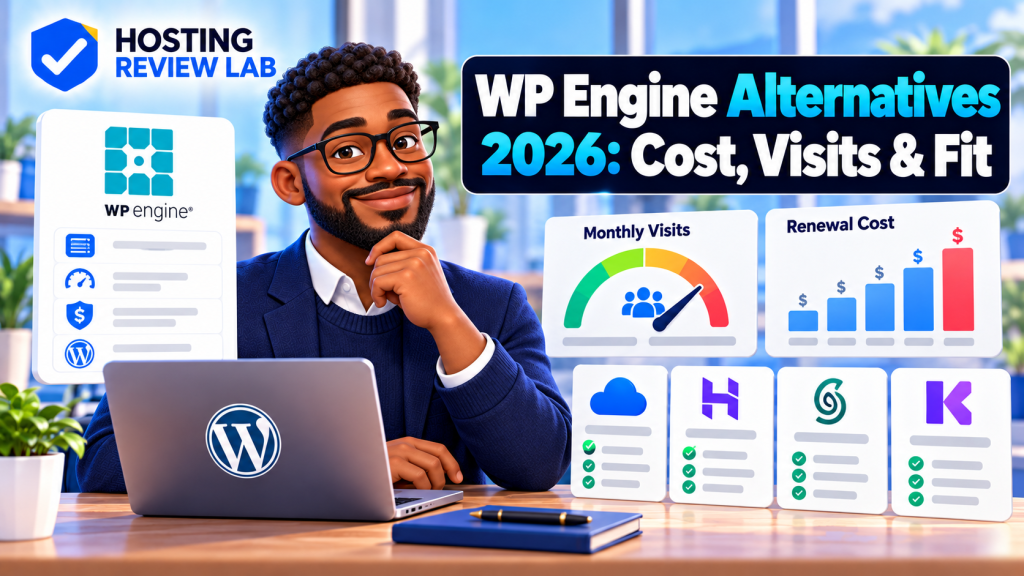
Looking for a WP Engine alternative? Start with the reason you want to leave. If the main issue is your annual bill or visit allowance, compare like-for-like managed WordPress plans. If you want hourly cloud billing or more server control, a managed cloud platform is a different trade-off. And if you are moving an active site, compare migration, staging, backups, email and renewal terms before canceling anything.
WP Engine alternatives at a glance
| Option | Published entry price and term | Included capacity or model | Could fit when |
|---|---|---|---|
| Pressable Signature 1 | $250 per year ($20.83/month equivalent) | 1 WordPress install, up to 30,000 visits/month, 20GB storage | You want managed WordPress with more included storage at the entry tier |
| Kinsta Single 35k | $35 month-to-month, or $350 billed annually | 1 WordPress install, 35,000 visits/month, 20GB storage | You want a managed WordPress plan with a similar visit-based allowance |
| Cloudways Flexible | Cloud provider and server configuration determine the price; DigitalOcean entry configurations are advertised from $11/month | Choose a cloud provider and server size; billed for server use, with usage details to check | You want more infrastructure choice and are comfortable managing server-level settings |
For context, WP Engine Essential currently advertises a first-year annual checkout of $336 ($28/month equivalent) for one site, with 25,000 visits/month and 10GB storage. WP Engine says first-year pricing applies to eligible new customers and renewal pricing may change. A promotional first-year figure is not a reliable estimate of the next renewal bill.
Choose by what you need to change
If you want a different managed WordPress plan
Compare Pressable and Kinsta first. They both keep WordPress-specific hosting features central, but their entry plans have different prices, visit allowances and billing. Pressable Signature 1 is billed annually at $250 and lists 30,000 visits with 20GB storage. Kinsta lists its Single 35k plan at $35 per month or $350 billed annually, with 35,000 visits and 20GB storage. Compare your actual traffic and storage needs with the plan limits, and inspect any overage terms before you move. These are plan specifications, not a promise that one host will be faster for your particular site.
If you want cloud provider and server choices
Cloudways Flexible lets you select a cloud provider and server configuration. That gives you a different kind of control from a fixed managed WordPress plan, but it also makes the total monthly cost depend on the resources and add-ons you select. Check backup settings, bandwidth, support scope, email arrangements and the full monthly invoice estimate before switching. Cloudways also lists a separate Autonomous product for fully managed, autoscaling WordPress; do not treat its Flexible server pricing as the price of every Cloudways product.
If you mainly want a lower renewal bill
Compare the next invoice, not just a signup offer. Write down your current WP Engine renewal price, included visits, storage, add-ons, tax and any overage charges. Then compare the same items against the alternative. You may pay less but take on more operational work, or pay a similar amount for a different included feature set. See our WP Engine pricing guide for the current plan and billing breakdown, and the stay-or-switch checklist for a broader renewal decision.
Before moving a live WordPress site
- Inventory what the host provides. Record domains, DNS, email, staging environments, backups, SSL, CDN, scheduled tasks and any paid add-ons. Hosting and email can be separate services even when managed from one account.
- Check the destination limits. Confirm PHP and database compatibility, storage, traffic definitions, bandwidth and the cost of exceeding included allowances. Visit counts may be calculated differently between providers.
- Test the copy before changing DNS. Use a staging or temporary URL to check logins, forms, checkout, transactional email, redirects, cron jobs and key pages. Preserve the current production site during the test.
- Plan the cutover and rollback. Lower DNS TTL ahead of time if appropriate, schedule a quiet period, take a final backup, and keep the old account available until the new site and email are verified.
- Cancel only after verification. Confirm the site works at its final domain, certificates are valid, analytics and search tools see the right canonical URLs, and you have a usable backup outside the old host.
A move can change hosting without changing public URLs. Avoid changing domain names or permalink paths as part of the same project unless necessary; fewer simultaneous changes make problems easier to isolate.
How to compare the real cost
Use a 12-month total that includes the post-promotion price, required add-ons, taxes, storage or traffic overages, migration costs and any email service you need. For annual plans, compare the amount charged today with the monthly equivalent shown in marketing. For cloud plans, price the server size and region you expect to use rather than relying on the lowest advertised configuration.
Prices and published plan limits on this page were checked October 14, 2026. Provider offers and terms can change; confirm the checkout total and renewal price before purchasing.